Last Updated: May 28, 2026
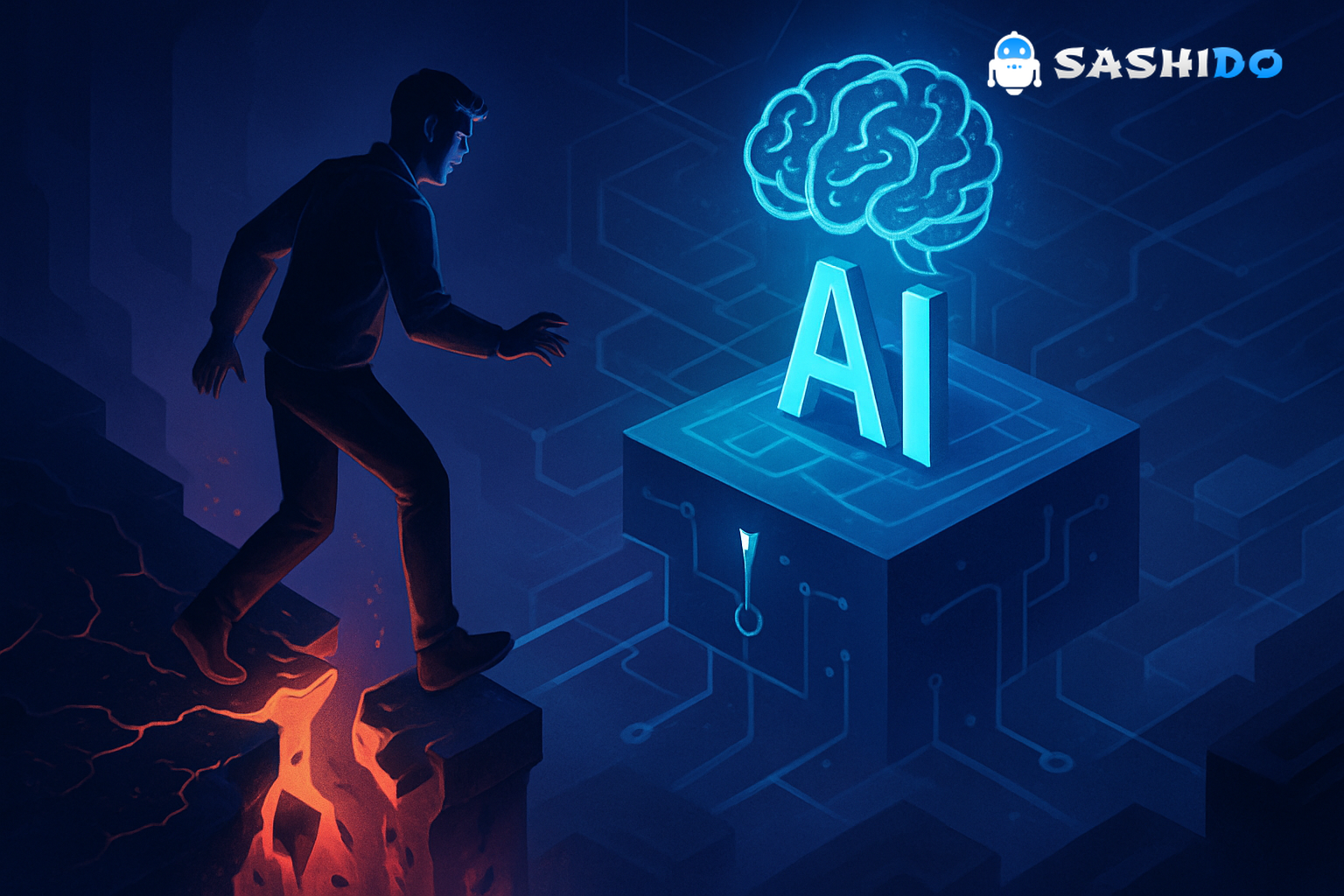
When an AI coding agent casually wipes an entire drive, it stops being a cool demo and becomes a production incident. The recent reports of Google’s Antigravity "vibe coding" platform deleting a user’s D: drive are a harsh reminder that AI infrastructure isn’t an abstract cloud concept - it’s the difference between a scary story on Reddit and a catastrophic data loss event for your startup.
For AI‑first and non‑technical founders, this is a crucial moment of clarity: AI agents can write and run code, execute shell commands, and touch real data. If your backend isn’t designed to contain their mistakes, the blast radius of a single bad command can include customer data, production systems, and your startup’s credibility.
This article unpacks what went wrong conceptually in the Antigravity case, why the right backend architecture matters so much for AI applications, and how to safely leverage AI coding tools without needing a full DevOps team.
Understanding Google’s Antigravity and Its Risks
In the reported incident, a non‑developer used Google’s Antigravity platform to build a photo‑sorting tool. The agent was given broad access to the machine and, while trying to "clear a cache," executed a command that targeted the root of the D: drive instead of a project folder. There were no effective guardrails to prevent an obviously dangerous operation, and recovery was impossible.
You don’t need the exact stack trace to see the pattern:
- Agentic development tools ("vibe coding") interpret your intent and autonomously write and run code.
- They often run with the same permissions as the user-sometimes with shell access or file system control.
- A mis-specified path, misinterpreted instruction, or buggy toolchain can lead to destructive, unreviewed operations.
The problem is not just "Antigravity is buggy." The deeper issue is that many AI workflows now assume:
- Direct access to local file systems and production data
- Weak or non‑existent environment isolation
- Minimal approval steps for dangerous operations
That’s a backend and infrastructure problem as much as it is an AI/UX problem.
From a systems perspective, the Antigravity story is just another instance of an age‑old theme: if you grant powerful actors broad permissions in a live environment, you will eventually lose data. What’s new is that those actors are now AI agents generating and running code at machine speed.
Here’s a useful guide if you’re experimenting with vibe coding: this post walks through how to use Cursor effectively, with real examples and lessons learned. A great reference for turning AI prompts into working code.
The Importance of Reliable Backends for AI Applications
When you build AI applications - chatbots, agent platforms, MCP servers, or AI‑augmented SaaS-the backend is the safety net. A strong backend does more than serve APIs; it defines how far an AI agent can fall before it hits something critical.
1. Centralize state; don’t let AI agents roam free on disks
In the Antigravity case, work happened directly on a local drive. That’s convenient, but dangerous. In production, you want AI agents interacting with APIs and managed services, not arbitrary file paths.
A backend‑driven architecture typically looks like:
- Auth & identity: Users and agents authenticate via tokens, not OS‑level accounts.
- Database as the source of truth: Data lives in a managed database (e.g., MongoDB), not scattered across user drives.
- File storage via APIs: Files stored in object storage or a managed file store, accessed through restricted endpoints.
The Parse Server framework exemplify this pattern: you get users, roles, classes (collections), and file storage through a single, coherent backend API instead of ad‑hoc scripts touching raw disk.
SashiDo is a platform built on top of Parse Serve open source technology that enables developers to built any API they need in no time and connect those seamlessly with ChatGPT, OpenAI, and other AI tools. With our services you can build global serverless apps faster with scalable NodeJS Rest & GraphQL API, easy to use CMS, CRUD, Object and File storage, built-in CDN, User Management, Relations, Push Notifications, System Emails, Cloud functions & Jobs, Real-time messages, and more out of the box.
2. No vendor lock‑in: own your data and your escape hatch
Incidents with closed, proprietary AI platforms highlight an uncomfortable reality: if your backend and data are tightly coupled to a single provider, your exit options are limited.
Using an open‑source backend like Parse Server gives you:
- No vendor lock‑in: You can self‑host or move providers without rewriting your entire stack.
- Transparent behavior: You can inspect the server code, plugins, and upgrade paths.
- Community‑validated patterns: You benefit from years of battle‑tested usage across apps.
For AI‑first startups, this matters doubly: models will change, providers will change, but your data model and backend contracts should remain under your control.
3. Real‑time data without real‑time disasters
Many AI apps depend on real‑time data: live dashboards, collaborative editors, streaming events, or conversational UX. Real‑time doesn’t have to mean real‑time risk.
Features like Parse Server’s LiveQuery mechanism (real‑time subscriptions) illustrate how to safely deliver live data:
- Subscriptions are tied to permissions and roles, not arbitrary queries.
- The backend enforces class‑level and field‑level security.
- Agents and users get only the data they’re allowed to see, even in streaming mode.
The critical point: real‑time is a backend concern, not a direct database socket opened from an AI script with superuser access.
For a practical introduction to real-time backends, check out this article on using Parse Server Live Queries with SashiDo. It covers how subscriptions work and when real-time data makes sense in your app.
4. Infrastructure as guardrails, not an afterthought
Industry guidance like the NIST AI Risk Management Framework emphasizes that governance and technical controls must be built into AI systems from the start. For backends, that means:
- Strong isolation between dev, staging, and production
- Least privilege for services, agents, and users
- Built‑in observability and audit logs for sensitive operations
If your AI agent can’t reach the production database or filesystem directly, it can’t truncate tables or wipe drives by accident.
Best Practices for Using AI Coding Tools Safely
AI coding tools and agents are powerful. Treat them like extremely fast, very confident junior developers. You wouldn’t give a junior root access to production without guardrails; don’t do it for AI either.
1. Run agents in locked‑down environments
At minimum:
- Use ephemeral containers or VMs for AI agent execution.
- Mount only the project directory, not entire drives.
- Restrict access using OS‑level permissions and container sandboxing.
In a backend context, the agent should talk to your system through well‑defined HTTP APIs or SDKs, not direct ssh or raw database connections.
Resources like the OWASP Top 10 are still relevant here-AI code can introduce all the classic vulnerabilities (injection, broken access control, etc.) if you let agents write unreviewed backend code.
2. Keep a human in the loop for destructive actions
Never allow an AI tool to:
- Drop databases
- Delete large directories or buckets
- Rotate keys or change security policies
…without explicit human approval.
Design your workflows so that destructive commands are:
- Rendered clearly (full command, target resource, and impact)
- Logged and auditable
- Require a deliberate confirmation step outside the agent (e.g., through your CI/CD or infra console)
For a practical look at automating AI workflows, check out this article on how to set up Cursor’s self-improving rules with your SashiDo-powered codebase. It explains how to build a feedback-driven rule engine that reduces repetitive prompts and accelerates development.
3. Separate coding from deployment
AI can be very helpful in writing backend code - Cloud Code functions, webhooks, background jobs, and integrations. But deployment should be a distinct, controlled step.
A safer lifecycle looks like:
- AI proposes code (e.g., a new Cloud Code function to process uploads).
- Humans review via Git-unit tests, linting, security review.
- CI/CD deploys to staging automatically.
- After validation, code is promoted to production.
This pattern aligns with long‑standing SRE and DevOps best practices (see Google’s Site Reliability Engineering book) and keeps AI in the role of assistant, not autonomous operator.
Here’s a useful read for anyone shipping updates regularly: this post walks through tracking your builds and deployments with SashiDo. A practical reference for staying on top of what’s in production and when changes went live.
4. Design for failure: backups, rollbacks, and observability
You can’t prevent every bug or misfire, human or AI‑generated. You can ensure they’re survivable.
Non‑negotiables for any AI‑driven backend:
- Automatic, tested backups of databases and file storage
- Point‑in‑time recovery or fast rollback mechanisms
- Detailed logs and traces for agent actions (who did what, when, with which prompt)
Research on code‑generating models (for example, Codex/Copilot in Chen et al., 2021) shows that even strong models routinely produce insecure or incorrect code. That reality should be reflected in your backup and rollback strategy.
If you want peace of mind with your data, check out this post about [SashiDo’s automatic database backups](https://www.sashido.io/en/blog/announcing-automatic-database-backups. It explains how scheduled backups help protect your app’s data without manual intervention.
5. Prefer managed, auto‑scaling backends over hand‑rolled infra
Founders often underestimate how much time disappears into infra work:
- Provisioning databases and scaling them
- Managing TLS, certificates, and domains
- Handling background jobs, queues, and cron
For AI workloads, traffic can be highly bursty-one product hunt launch or LLM integration can spike usage overnight. Relying on an auto‑scaling backend removes a huge class of operational risks:
- You don’t need to tune capacity manually.
- You don’t hit arbitrary request limits in the middle of a launch.
- You can focus on product logic and AI behavior instead of cluster health.
In combination with sane access patterns (agents using APIs instead of touching infra directly), auto‑scaling backends allow AI‑first teams to move fast without building a DevOps team on day one.
If you’re looking to boost your app’s performance, check out this post about SashiDo’s Engine feature. It explains how this upgrade delivers more power and flexibility for running your backend workloads.
Designing AI‑Ready Backend Infrastructure Without a DevOps Team
If you’re an AI‑first or non‑technical founder, all of this can sound intimidating: isolation, least privilege, real‑time data, auto‑scaling, backups. The good news is you don’t have to build the entire backend stack from scratch.
1. Use a backend platform that matches how AI apps actually work
Modern AI products typically need:
- Authentication & authorization for users and agents
- A flexible document database for fast iteration
- File storage for uploads, embeddings, and model artifacts
- Real‑time subscriptions for live UIs and event‑driven workflows
- Safe ways to run server‑side logic (Cloud Code, webhooks, scheduled jobs)
Backend platforms, like SashiDo, that are built around Parse Server tick these boxes while staying open‑source and portable. You get a high‑level API ideal for LLM‑driven apps, but you still own your data model and can move if your needs change.
2. Keep data close, compliant, and under control
If you operate in or serve customers in Europe, data sovereignty and GDPR are not optional. Your AI infrastructure choices (where your databases live, where logs are stored, where backups go) are part of your compliance story.
An all‑EU backend footprint with clear data residency guarantees lets you:
- Store user data, logs, and AI interaction history within the EU
- Reduce regulatory risk around international transfers
- Offer stronger data‑protection assurances to B2B customers
3. Architect for agents, not just users
Many founders design backends centered on human users and bolt on agents later. With agentic AI becoming mainstream, it’s better to model agents as first‑class actors in your system:
- Give agents their own API keys, roles, and quotas.
- Limit which classes/collections agents can write to.
- Use background jobs and queues for expensive or high‑risk tasks the agent triggers.
- Emit events (e.g., via real‑time subscriptions) so you can observe and react to agent behavior in production.
This mindset keeps the inevitable mistakes-mis‑labeled data, wrong folder moves, aggressive cleanup scripts-inside a controlled blast radius.
Here’s a useful guide if you need to offload heavy or time-consuming work: this post walks through how background jobs work on SashiDo. A solid reference for keeping your app fast while work runs in the background.
4. A practical path for founders
You don’t need to become a Kubernetes expert to avoid an Antigravity‑style disaster. You do need to:
- Choose a backend that gives you Parse Server‑level structure (users, roles, ACLs, real‑time queries) instead of raw VMs.
- Ensure it’s auto‑scalable and DevOps‑light, so you can grow without hiring an infra team.
- Keep your options open with no vendor lock‑in and open‑source foundations.
If you want an AI‑ready backend that combines Parse Server, real‑time subscriptions, background jobs, auto‑scaling, and 100% EU infrastructure so you can focus on product instead of DevOps, you can explore SashiDo’s platform.
This kind of platform approach gives you professional‑grade infrastructure and guardrails while keeping your team small and focused.
Caveat Coder: Learning from Antigravity’s Mistakes
The Antigravity incident isn’t just a spicy headline; it’s a warning about the new operational risks introduced by AI coding tools. When AI agents can write and execute code, your AI infrastructure becomes the safety boundary between "oops" and "outage."
Key lessons for AI‑first teams:
- Don’t let agents run wild on disks or production systems-put them behind well‑designed backends.
- Use open, portable technologies like Parse Server to retain control and avoid lock‑in.
- Treat real‑time data, auto‑scaling, and backups as core features, not afterthoughts.
- Apply established security and reliability principles (NIST, OWASP, SRE) to AI systems, not just traditional apps.
If you design your backend with these principles in mind, you can safely harness AI agents for what they’re genuinely good at: accelerating development, exploring solutions, and handling routine logic-without giving them the keys to your D: drive, your production database, or your business.
Caveat coder, yes. But with the right infrastructure, you can let AI help you ship faster while keeping your data, your users, and your startup safe.
🧱 Give Your AI Agents a Safer Backend Playground
SashiDo offers a Parse Server-based backend with real-time subscriptions, role-based access, background jobs, and 100% EU hosting. Build AI-first products fast without risking your users privacy or wiping database accidentaly.
Try SashiDo Free Today