Last Updated: April 23, 2026
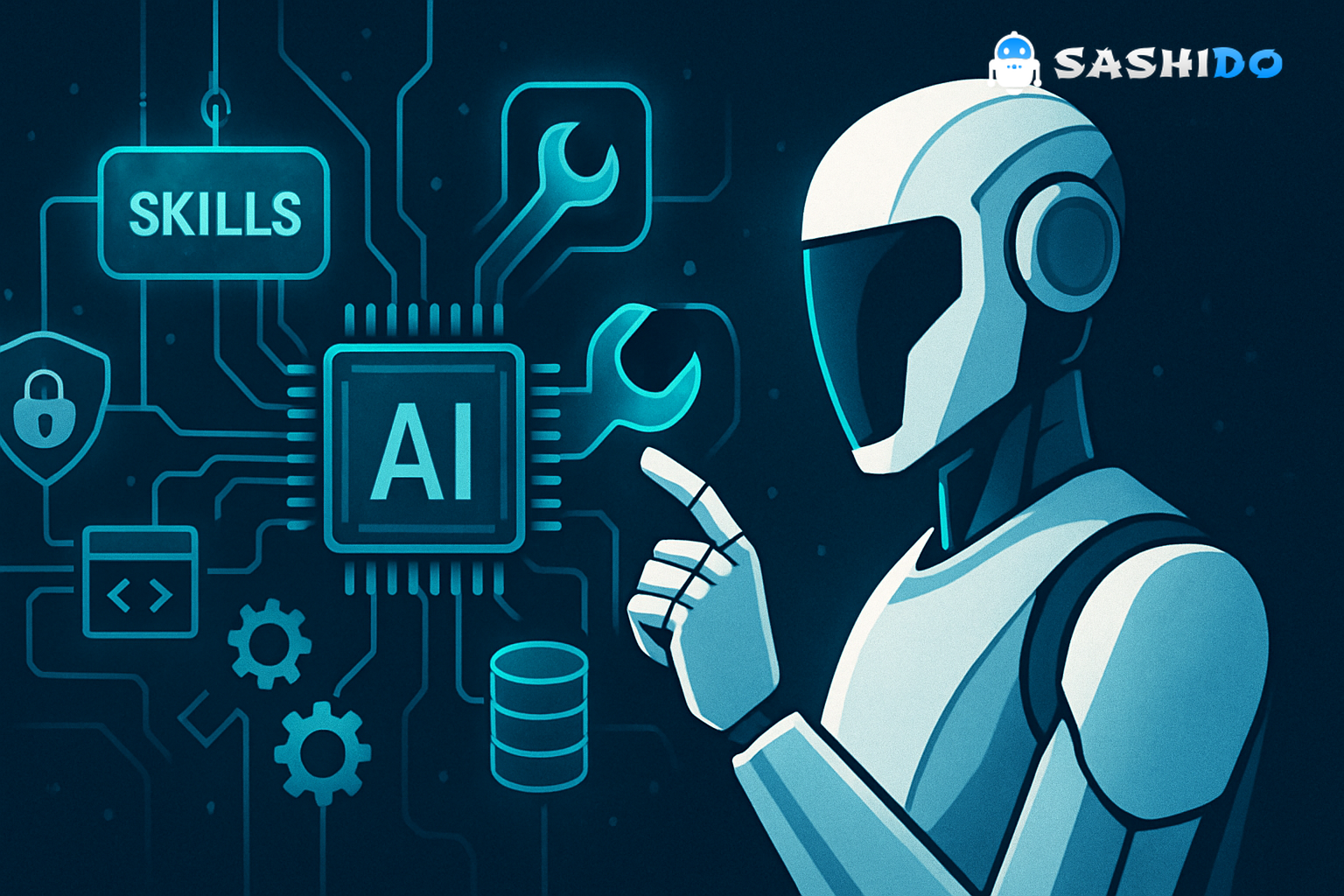
If you are coding with AI agents and the results feel inconsistent, the problem is rarely the model. It is usually the plumbing. The agent cannot reliably reach the right systems, or it reaches them but does not follow your workflow the same way twice. This mcp server tutorial walks through the pattern that fixes both issues. Use MCP for secure connectivity to tools and data, then use skills to encode your repeatable process so outputs stop drifting between iterations.
The twist for solo founders and indie hackers is that you also need to ship. That means your “tools” cannot be a pile of half-finished scripts. They need a stable backend with auth, database, storage, functions, and realtime. That is exactly where SashiDo - Backend for Modern Builders fits into an AI-first stack.
The real division of labor: MCP connects. Skills steer.
In production agent work, there are two different failure modes that look the same from the outside.
First, the agent cannot access the system you care about. It can talk about GitHub issues, but it cannot open one. It can summarize your Notion docs, but only if you copy paste them. That is a connectivity problem.
Second, the agent has access, but still behaves like a generalist. It searches the wrong workspace pages, formats the output in a way you never use, or skips the compliance check you always do. That is a workflow knowledge problem.
MCP solves the first problem by standardizing how an agent talks to external tools and data sources, including your own services. Skills solve the second problem by teaching the agent how you want the work done once the tools are available. If you keep those responsibilities separate, you get a setup that is easier to debug, easier to extend, and harder to accidentally break.
If you want to try this pattern without first building infrastructure, you can spin up your backend on SashiDo - Backend for Modern Builders and keep the MCP server thin, focused, and disposable while you iterate.
Understanding MCP in practical terms (without the hype)
MCP is an interface contract. It lets an agent discover tools, call them in a structured way, and handle results consistently across different integrations. In real workflows, that matters because it eliminates the “prompt glue” that silently rots over time.
A practical way to think about MCP is that it gives your agent a tool belt with labeled tools, plus rules for how to pick up a tool, use it, and put it back. The agent still needs to decide which tool to use when, but it no longer needs to invent request formats or guess how authentication works.
If you are building your own connection, start by reading the protocol docs and spec, not random tutorials. The spec clarifies what belongs in the server, what belongs in the client, and what security expectations exist.
Sources that are actually worth keeping open while you build:
- The official MCP docs and intro explain the primitives and expected architecture. They matter because most “MCP server tutorial” posts gloss over the tool discovery model. Model Context Protocol documentation
- The protocol spec is where you will check edge cases around messages, transports, and versioning when something “mysteriously” fails. MCP specification
Why skills are what stops your agent from freelancing
Once your agent can reach tools, it will still improvise unless you tell it what “good” looks like in your context. Skills are the place to encode that.
In practice, a skill is not a vibe prompt. A good skill is closer to a short operating procedure. It defines what sources to consult first, what order to do steps in, what validations must happen, and what format counts as done. That is what makes the agent repeatable.
This is where a lot of indie builders waste time. They keep tweaking the prompt for every run, then wonder why the agent feels different day to day. The model is not drifting. Your instructions are.
A simple rule we use internally is: if you find yourself re-explaining a workflow more than twice, it belongs in a skill. Keep it small enough that you can change one step without rewriting everything.
When to use skills vs. MCP (decision rules that survive contact with reality)
The cleanest way to decide is to ask what you are trying to accomplish.
If the agent needs to access something, you need an MCP server or an MCP connection to that tool. If the agent needs to perform a repeatable process using one or more tools, you need a skill.
The messy part is overlap. Tool integrations often include usage hints. That is fine as long as the hints stay generic. The moment the instructions become “how we do meeting prep” or “how we do incident response”, those instructions belong in a skill, not in the tool integration.
When you blur the line, debugging gets painful because the agent ends up with conflicting constraints. One side says “return JSON”, the other says “write a markdown memo”. Then you are debugging behavior instead of debugging a boundary.
MCP server tutorial, the backend-first version: build your tools on SashiDo
Most teams start MCP experiments by connecting to external systems like Notion or GitHub. That is useful, but it skips the hard part of shipping. In a real app, your agent also needs to read and write your product’s state. Users, entitlements, documents, jobs, notifications, and realtime state cannot live in a spreadsheet forever.
That is where we recommend a backend-first approach. Put your product state behind an API you control, then expose a small set of “agent safe” tools through an MCP server.
With SashiDo - Backend for Modern Builders, every app starts with a MongoDB database plus CRUD APIs, a built-in user management system with social logins, storage backed by AWS S3 with a CDN, serverless functions, realtime, scheduled jobs, and push notifications. That gives you an app platform that can support agent workflows without standing up DevOps.
Step 1: Decide what the agent is allowed to do
For indie builders, the easiest way to create a security incident is to let an agent call “all the endpoints” because it is convenient. Do the opposite. Start from a minimal set of actions that are valuable.
A typical v1 tool set looks like: fetch a record by id, search by a constrained query, create a draft object, and submit an action that triggers a controlled server-side function. That last part matters because server-side functions give you a choke point for validation and logging.
Step 2: Use auth boundaries that match your product
If your product is user-facing, the agent’s tool calls must reflect user permissions. That means your MCP server should not have a master key that bypasses everything. It should act on behalf of the user, or on behalf of a narrowly-scoped service account with explicit limitations.
In SashiDo, you can rely on our User Management, ACLs, and server-side logic to keep these boundaries enforceable even when the client is messy. If you have not worked with Parse-style permissions recently, it is worth revisiting how class-level permissions and ACL patterns reduce accidental overexposure.
For deeper backend details and patterns, our documentation is the fastest reference. SashiDo Docs and Parse guides
Step 3: Prefer “safe verbs” over raw CRUD when the action has consequences
Agents are good at making progress. That also makes them good at creating damage fast if you expose raw write access.
A safer pattern is to avoid tool calls like “update user”, and instead provide tools like “create onboarding checklist”, “mark task complete”, or “request payout review”. Those tools map to server-side functions that validate input, check rate limits, and enforce invariants.
This is where functions as a service becomes your friend, not because it is trendy, but because it gives you a place to keep business logic out of the agent’s prompt. We run serverless functions close to users in Europe and North America, so you can keep latency predictable while the agent is orchestrating calls.
Step 4: Make realtime an explicit part of the design
Agents do not just write. They coordinate. If your agent triggers a long-running job, you need to stream status changes back to a UI, a collaborator, or another agent. A real-time database or realtime channel is often the simplest way to do that.
In SashiDo, you can sync client state globally over WebSockets, which is ideal for showing “agent is working” status, partial results, and approvals. If you expose realtime events to an agent, treat them like input. Rate limit them and filter them. Real-time data is powerful, but it is also easy to overwhelm the model with noise.
For WebSocket-specific security pitfalls, do not rely on intuition. Follow basic hardening practices like always using WSS, validating origin, applying message size limits, and adding rate limiting. WebSocket Security guide
Two workflows where skills + MCP actually pay off
The pattern becomes obvious when you look at workflows that are annoying precisely because they are repetitive.
Meeting prep that does not require re-explaining your standards
Meeting prep is a classic agent use case because it touches multiple sources. Your notes, project docs, stakeholder context, and last week’s action items rarely live in one place.
MCP makes it possible for the agent to fetch those sources from wherever they live, for example Notion plus your own product database. The skill is what turns that access into a reliable pre-read. It encodes the order of operations, such as checking the project page first, then scanning the last two meeting notes for unresolved items, then extracting decisions, then drafting an agenda with fixed sections.
When you attach your product backend, the workflow gets more useful. The skill can pull actual user state and product signals, such as feature flags, plan tier, last login, or recent errors, then tailor the pre-read and the agenda accordingly. That is what makes an agent feel “plugged in”, not just chatty.
Valuation or research workflows where compliance and consistency matter
Any workflow that has a standard methodology benefits from skills. The moment you need the same structure every time, or you need a validation checklist, you want the skill to enforce it.
A good example is a valuation style workflow, but the same pattern shows up in technical due diligence, vendor selection, or quarterly planning. MCP connections fetch source data. The skill forces the sequence, the output structure, and the validation steps.
This is also where agent debugging becomes easier. If the output is wrong, you can ask: did the tool return the wrong data, or did the skill apply the wrong method. That separation saves hours.
Agent debugging: treat your agent like a distributed system
Most “agent debugging” advice is just prompt tweaking. That is not enough once you add tools.
When an agent uses MCP servers, you should expect classic distributed systems issues. Partial failures. Timeouts. Retries that create duplicates. Rate limit errors. Stale reads. If you do not capture traces, you will end up guessing.
A pragmatic debugging setup focuses on three layers.
At the tool layer, log every tool call with a request id, the actor (user or service), latency, and whether it hit a cache. You do not need to store sensitive payloads. You need enough metadata to find patterns.
At the workflow layer, log which step the skill believes it is in. This is the difference between “the model is wrong” and “step 3 ran before step 2”. When you can see step order, you can fix orchestration bugs without rewriting prompts.
At the product layer, you want a durable job model for long tasks. In SashiDo, scheduled and recurring jobs are built around MongoDB and Agenda, and you can manage them via our dashboard. That is a practical way to keep “agent work” out of a request-response loop, while still exposing status through realtime.
If you are scaling beyond a single prototype, our Engines model helps you control performance and cost as workloads increase. The reason this matters for agents is that tool-heavy flows can create spiky traffic. Power up with SashiDo Engines
LLM security: the minimum bar before you let agents touch real data
The fastest way to lose trust in an AI feature is to ship it with obvious safety gaps. Fortunately, the industry is converging on clear risk categories.
Two sources we recommend using as your baseline are OWASP’s Top 10 for LLM applications and NIST’s AI Risk Management Framework. They help you translate “LLM security” from abstract fear into concrete controls.
OWASP’s list matters because it names the failure modes that show up in tool-using agents, like prompt injection, insecure output handling, excessive agency, and model denial of service. OWASP Top 10 for LLM Applications
NIST’s AI RMF matters because it forces you to think in terms of governance and lifecycle, not just a single prompt. It is especially useful when your agent is touching user data or performing actions on their behalf. NIST AI RMF 1.0
Here is the practical security checklist we see indie builders skip, even when they are careful.
- Constrain tool inputs. Validate them server-side, not only in the prompt.
- Constrain tool outputs. Treat model outputs as untrusted, especially if they can trigger downstream actions.
- Add explicit allowlists for domains, repos, collections, or tables that the agent can access.
- Use rate limits and quotas to prevent cost explosions and denial of service behaviors.
- Keep secrets out of the model context. If a tool needs a secret, store it server-side.
MongoDB and Parse-style backends have their own best practices around CRUD, validation, and permissions. If you want a neutral refresher, MongoDB’s CRUD concepts are a solid anchor. MongoDB CRUD concepts
From prototype to early production: the parts you should not hand-roll
If you are a solo builder, the most expensive mistake is building your “AI feature” on top of an unreliable backend. Your agent will look unstable, even if the model is fine.
When you build on SashiDo - Backend for Modern Builders, you can keep your focus on the workflow and product experience while we handle the backend fundamentals. You get a managed MongoDB database with CRUD APIs, user auth with social logins, file storage with CDN, serverless functions, realtime, background jobs, and push notifications.
This matters for AI-first apps because the agent is only half of the system. The rest is state, permissions, auditability, and delivery. Push notifications, for example, become the simplest way to re-engage a user when an agent finishes a long job. We run push at serious scale already, which matters when you move from a demo to users.
If you are evaluating other app platforms, it is worth comparing the operational model, not just feature checklists. Many builders default to Firebase because it is familiar, but the trade-offs around data model flexibility and portability show up quickly once you add agents and server-side workflow logic. SashiDo vs Firebase
For pricing, do not hardcode numbers from blog posts. We keep our current pricing and limits on the official page, including the 10-day free trial with no credit card required and plan details like requests, storage, and data transfer. SashiDo pricing
A quick way to sanity-check your design before you ship
Before you ship an agent feature, run this sanity check. It catches most issues that cause embarrassing “agent bugs” in the first week.
First, test the workflow with missing data. Remove one of the expected documents or DB records and confirm the skill tells the agent what to do next instead of hallucinating.
Second, test the workflow under tool failure. Force a 500 or a timeout and make sure the agent retries safely or stops with a clear message.
Third, test permissions with the lowest privilege user you can create. If it works only with admin access, it is not ready.
Finally, test cost and rate behavior. Agents can generate surprising request bursts. If your backend cannot absorb bursts, you will end up debugging the wrong layer.
Helpful next step if you want to build this for real
If you are ready to stop stitching scripts together, you can explore SashiDo’s platform and use it as the backend behind your MCP tools, with database, auth, storage, functions, realtime, jobs, and push already in place.
Conclusion: ship agents that behave the same way tomorrow
A good mcp server tutorial should not end at “the agent can call a tool”. The goal is to ship an agent that behaves consistently, respects permissions, and survives real-world failures.
Keep MCP focused on connectivity. Keep skills focused on workflow. Then anchor the whole system on a backend that can hold state, enforce auth, run functions, stream realtime updates, and schedule jobs. That is how you move from a clever demo to an AI feature users can trust.
Build and ship your AI-first backend today on SashiDo - Backend for Modern Builders. Deploy database, auth, storage, serverless functions, realtime and push in minutes, then start your free trial at https://www.sashido.io/en/.
