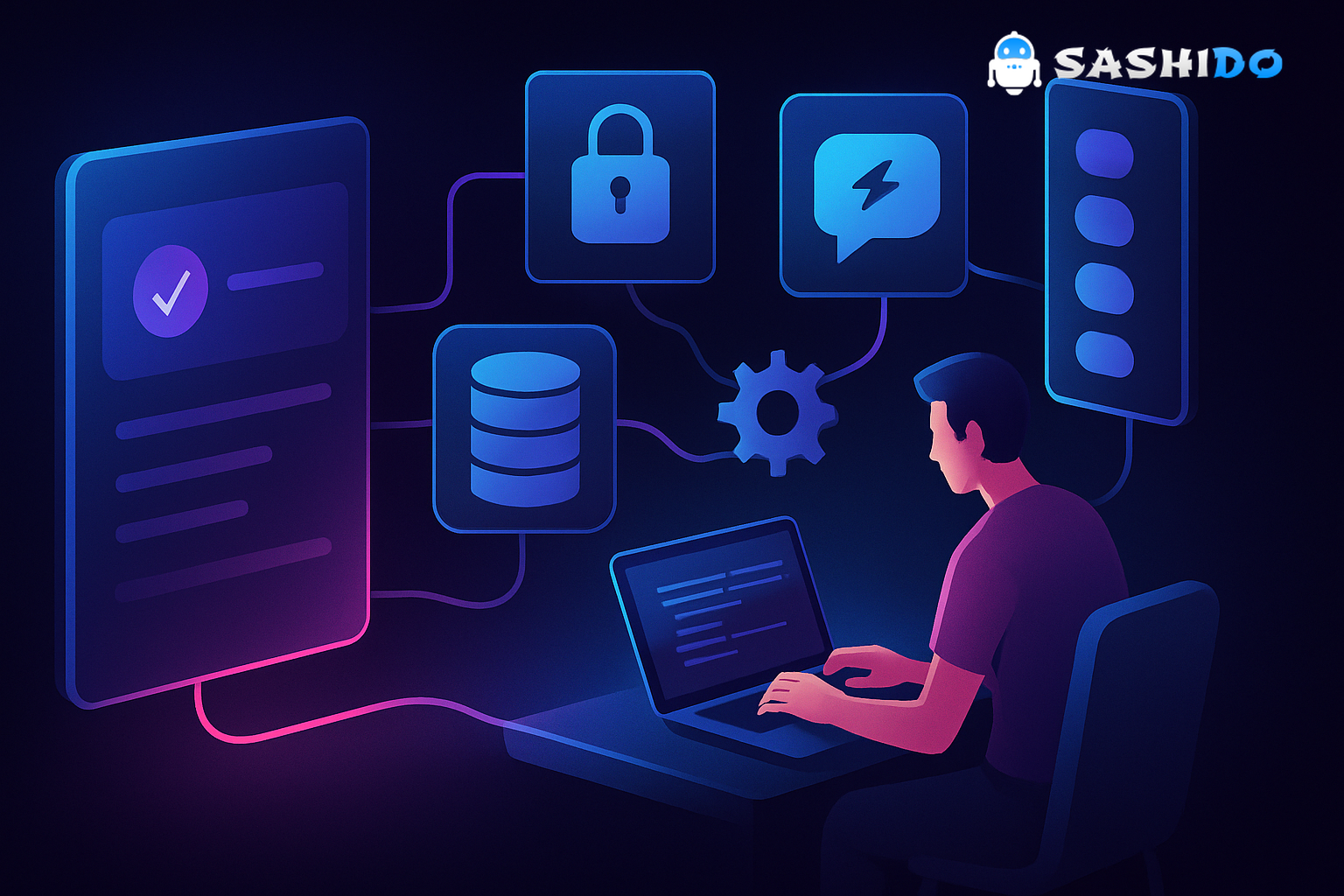
No code platforms have a new job in 2026: they are no longer just shortcuts for landing pages or internal tools. They are the on-ramp to interactive experiences that look and feel like software. That is why vibe coding is showing up everywhere, especially in places where “shipping an app” used to be someone else’s job.
If you have ever watched a non-engineer prompt an AI tool into a working interactive page, you have seen the same pattern. The first version feels like magic. Then the second request arrives: “Can people log in?” or “Can it remember where I left off?” or “Can we update the data daily?” That is the moment when excitement meets operational reality.
The good news is that this shift is healthy. When more creators can build, teams discover what audiences actually engage with. The hard part is turning a vibe-coded one-off into something you can run every day, with real users, real traffic, and real expectations.
The thrill is real. The hangover is predictable
The initial click through a vibe-coded prototype is genuinely energizing. You can go from idea to interactive in minutes, which is exactly what many creators and small teams need. The UI looks polished. The flow feels “app-like.” You can demo it to stakeholders and immediately get better feedback than you would from a static mock.
But most vibe-coded projects start life as stateless experiences. They assume a single user, a single session, and a friendly environment. As soon as you put that prototype in front of actual people, you hit the same set of problems over and over.
A quick checklist of the usual breakpoints helps clarify why these projects stall:
- The prototype cannot persist state across devices or sessions. People refresh the page and everything resets.
- There is no real user identity, so you cannot do personalization, saved progress, or paid tiers.
- Data ingestion is manual, so the experience goes stale fast.
- There is no reliable way to notify users when something changes.
- Sharing a demo publicly becomes scary because rate limits, abuse, and surprise traffic are real.
Those are not “engineering nice-to-haves.” They are the difference between an interactive that gets one day of attention and a tool or product that builds ongoing engagement.
If your next step is to add identity and persistence without turning your week into a DevOps project, take a look at how we host Parse apps on SashiDo - Backend for Modern Builders. It is often the fastest bridge from vibe-coded front end to a stable backend.
The media lesson applies to every vibe coder: you are building a product now
When a journalist builds an interactive explainer, the goal is not “software for software’s sake.” It is clearer storytelling, deeper engagement, and a reason for someone to come back. That maps almost perfectly to the solo founder and indie hacker world: shipping a vibe-coded experience is not the finish line. It is a new way to discover product-market fit.
The mindset shift is subtle but important. A creator who is used to publishing needs to think a bit more like a product manager.
You start by asking what the audience will do, not what they will see. Will they search, filter, and save? Will they collaborate? Will they come back weekly? Will they want alerts? Those interaction patterns determine your data model, your authentication approach, and whether you need realtime updates.
Once you see vibe coding as product discovery, it becomes obvious why teams need more than permission to experiment. They need a repeatable way to operationalize experiments.
Turning vibe coding into a team sport (even if the team is one person)
The phrase “team sport” is not about headcount. It is about building a workflow where prototypes can graduate into maintainable systems.
In practice, the most successful vibe-coding teams do three things consistently.
First, they treat prompts like requirements. Not in a bureaucratic way, but in a way that creates clarity. A great prompt includes user intent, data inputs, constraints, and what “done” looks like.
Second, they separate “experience code” from “system responsibilities.” The front end can be vibe-coded aggressively. The backend responsibilities need to be stable, testable, and reusable across projects.
Third, they standardize the boring parts. Every interactive does not need a bespoke approach to user accounts, data storage, file hosting, or push notifications.
This is where low code platforms and backend services earn their keep. Not because they make things easier to build once, but because they make things easier to run repeatedly.
Why most vibe-coded projects fail in production (and how to prevent it)
When a vibe-coded app fails after launch, the cause is rarely “bad code.” It is usually one of these four gaps.
1) Identity: you cannot build continuity without auth
The moment your experience needs saved state, you need identity. That can be anonymous sessions, email login, or social logins. But if you delay identity, you end up faking it with local storage, fragile tokens, or copy-pasted logic.
The operational principle is simple: auth is the root of personalization and trust. It also becomes your lever for abuse prevention and access control.
If you are building in a “no coding platform” workflow, this is where you should be cautious. Many app maker AI tools can generate a login screen, but the harder part is secure session handling, password resets, OAuth providers, and user roles.
2) Persistence: state must survive refresh, device, and time
A vibe-coded prototype often stores everything in memory. That is fine for a demo. It is a dead end for anything people return to.
The general pattern we recommend is to define your “durable objects” early. A saved article collection, a reader’s progress, a set of generated outputs, a newsroom dataset snapshot, or a creator’s prompt history. Once you name those objects, you can design a storage model around them and stop reinventing state on every iteration.
If you want a canonical reference for how CRUD patterns work in practice at the database layer, MongoDB’s documentation is a good grounding point, especially if you are new to database thinking. See the official guide to MongoDB CRUD operations.
3) Distribution: engagement needs re-entry points
People do not “live” inside your interactive. They discover it, try it, leave, and maybe come back. If you want ongoing engagement, you need re-entry points.
Push notifications are one of the most underestimated pieces here. They are not just for social apps. A daily briefing app, an election-results tracker, a wildfire map, or a personalized media digest all benefit from opt-in alerts.
If you want the underlying standard reference, the W3C Push API specification is the canonical description of how push works at the web platform level. Even if you never read the whole spec, it is useful to understand what browsers do and do not guarantee.
4) Realtime: the difference between “page” and “experience”
Many of the most compelling interactives feel alive because they update as the world updates. Live results, collaborative notes, chat-style interfaces, shared dashboards, “watch this dataset change” moments. Realtime is not always required, but when it is, polling is usually the first scaling trap.
If you want the lowest-level reference, the WebSocket protocol is standardized in RFC 6455. The key takeaway for builders is not the handshake details. It is that long-lived connections behave differently from request-response APIs, so your backend has to be designed for it.
The sustainable strategy: standardize the backend, let the front end stay experimental
A practical approach we see working well is to make the front end your experimentation surface and the backend your stability layer.
That means you pick a backend foundation that can support the common needs across projects:
You need a database and a secure CRUD API so you are not hand-rolling endpoints every time. You need authentication that supports common providers so your users do not bounce at onboarding. You need file storage for images, audio, datasets, and generated artifacts. You need server-side logic for when the AI output should trigger a workflow, enrich data, or run moderation. You need background jobs for scheduled imports and recurring tasks. You often need realtime for collaborative or live experiences. And when the experience works, you need a clear scaling path that does not require hiring a DevOps specialist just to survive a spike.
This is the difference between “I built something cool” and “I built something we can keep running.”
Where a backend platform fits (without killing the vibe)
When people hear “backend,” they picture weeks of setup. That is the opposite of what vibe coding is trying to unlock. The goal is not to slow down creation. The goal is to keep the creation shippable.
Our approach with SashiDo - Backend for Modern Builders is to give you the backend building blocks that vibe-coded prototypes reliably outgrow, without forcing you into a complicated infrastructure maze.
Every app we host comes with a MongoDB database and a ready CRUD API, which is a practical way to avoid the “I need to build an API layer” detour. We include a full user management system with social logins, which matters because converting a demo into a product usually fails at the sign-in step. We also provide file storage backed by an object store with CDN delivery, so you can store and serve assets without becoming a storage engineer.
When you need custom logic, you can deploy JavaScript serverless functions and run scheduled or recurring background jobs through the dashboard. When your experience needs live updates, you can sync state over WebSockets in realtime. And if your product needs re-engagement, our push notifications for iOS and Android are built in.
If you want to understand the foundation we build on, Parse Server is open source and widely used. The canonical repository is the Parse Server project on GitHub. In our own ecosystem, our developer documentation is where you will find SDK guides and implementation details.
Choosing between no code, low code, and “real code” for the same project
A lot of the confusion around best no code platforms is really confusion about where you want to pay complexity. Every approach has a tax.
No code platforms tend to be fastest at assembling a UI and shipping something clickable. Their tax shows up later when you need deeper control, non-standard workflows, or cost predictability at scale.
Low code platforms are often the sweet spot for small teams because you can move quickly while still escaping the sharp edges when the app grows. Their tax is that you still need enough technical literacy to design your data model and permissions.
Traditional code gives you maximum flexibility. Its tax is time, especially when you are still validating whether anyone cares.
Vibe coding changes the front-end equation by making “traditional code” feel faster. But it does not remove the backend tax. You still need identity, data, workflows, and reliability.
If you are evaluating backend paths and you are comparing against popular alternatives, we recommend reading our breakdowns in context so you can see trade-offs clearly. For example, our comparison pages for SashiDo vs Supabase, SashiDo vs Hasura, and SashiDo vs AWS Amplify focus on practical differences builders run into when moving from prototype to production.
A production checklist for vibe-coded interactives
This is the checklist we use internally when we review whether an interactive is ready to be shared beyond a small demo group. It is intentionally simple, because the goal is momentum, not bureaucracy.
Data and state
Define what must be persistent, then verify it survives refresh and device changes. Decide which data is public and which is private. Make sure you have a plan for importing or updating the data, not just hardcoding a snapshot.
Authentication and permissions
Decide whether login is required or optional. If you allow social login, confirm account linking behavior and what happens when providers fail. Define basic roles early, even if it is just admin versus user.
Reliability and scaling
Assume you will get a traffic spike at the worst possible time, like after a big share or a mention in a newsletter. Know your request limits and your scaling path. If you are using realtime features, confirm behavior under load and confirm your system does not melt down into constant reconnect loops.
Re-engagement
If the experience is meant to be ongoing, pick at least one re-entry mechanism. It can be push notifications, email, or a simple “saved dashboard” that people return to. Without this, you are building a single-visit artifact.
Operational ownership
Decide who is on the hook for updates, data refreshes, and user support. This is where many newsroom experiments stall, and it is also where many indie projects quietly die.
The culture shift is the real unlock
The biggest shift vibe coding creates is not technical. It is organizational.
When creators can build, the backlog changes. Ideas do not wait for engineering availability. Prototypes appear before a formal project exists. That is great, but it also means teams need new norms around what happens next.
We see the healthiest environments adopt two norms quickly.
They celebrate experimentation without pretending every experiment should become a product. And they create a clear graduation path for the experiments that earn sustained interest.
That graduation path usually includes shared backend primitives, security reviews that are proportional to risk, and a defined ownership model for maintenance.
This also addresses a real concern in journalism and media: the power imbalance between publishers and platforms as AI becomes embedded in workflows. Nieman Lab has covered this dynamic directly, including how AI adoption can reinforce existing platform dependencies. Their reporting is a useful reality check when you are planning strategy, not just tooling. See their analysis on AI adoption and publisher-platform power imbalances.
Keeping costs predictable when your demo suddenly works
One of the most painful moments for a solo founder is when an interactive takes off and the hosting bill becomes the new bottleneck. That is why “predictable pricing” shows up as a decision trigger for nearly every vibe coder we talk to.
A practical rule is to tie your architecture to the meters you understand. Requests, storage, data transfer, background workers, and compute are the knobs that usually matter. If your stack makes those knobs invisible until the invoice arrives, you are taking on risk.
We recommend keeping pricing conversations concrete. If you are considering us, always check the current numbers on our pricing page since limits and rates can change over time. The strategic point is not one specific price. It is knowing what drives cost and having a clean way to scale when your traffic grows.
If you are hitting performance limits and you need a controlled way to scale compute, our write-up on how Engines change performance and scaling is the most direct explanation of how we think about that trade-off.
Conclusion: no code platforms are where the work starts, not where it ends
No code platforms and app maker AI tools are unlocking a real shift: more people can build interactive software, not just publish content. That is great for storytelling, product discovery, and the pace of experimentation.
But the pattern is consistent. If your vibe-coded project is meant to live longer than a demo, you need identity, persistence, workflows, and a scaling plan. The fastest builders do not abandon vibe coding. They protect it by standardizing the backend so the front end can stay playful.
If you are ready to turn a vibe-coded interactive into something you can share confidently, you can explore SashiDo’s platform at SashiDo - Backend for Modern Builders. Start with a 10-day free trial (no credit card), then add auth, database, storage, realtime, jobs, and push as your experience grows.