Try the new Parse Server preview, check your app's security against the production best practices in minutes, and take more control over your SashiDo account with our latest Dashboard updates.
We've been busy bees over the past few months making SashiDo better, safer, and easier to manage!
Today, we're sharing several updates we've been working on, from newer Parse Server support to a brand-new App Checks feature and more control over your account security.
Let's see what's new and how you can put these improvements to use.
Good news for everyone waiting for newer Parse Server versions!
Parse Server 6.5.11-preview, is now available for testing directly from your SashiDo Dashboard.
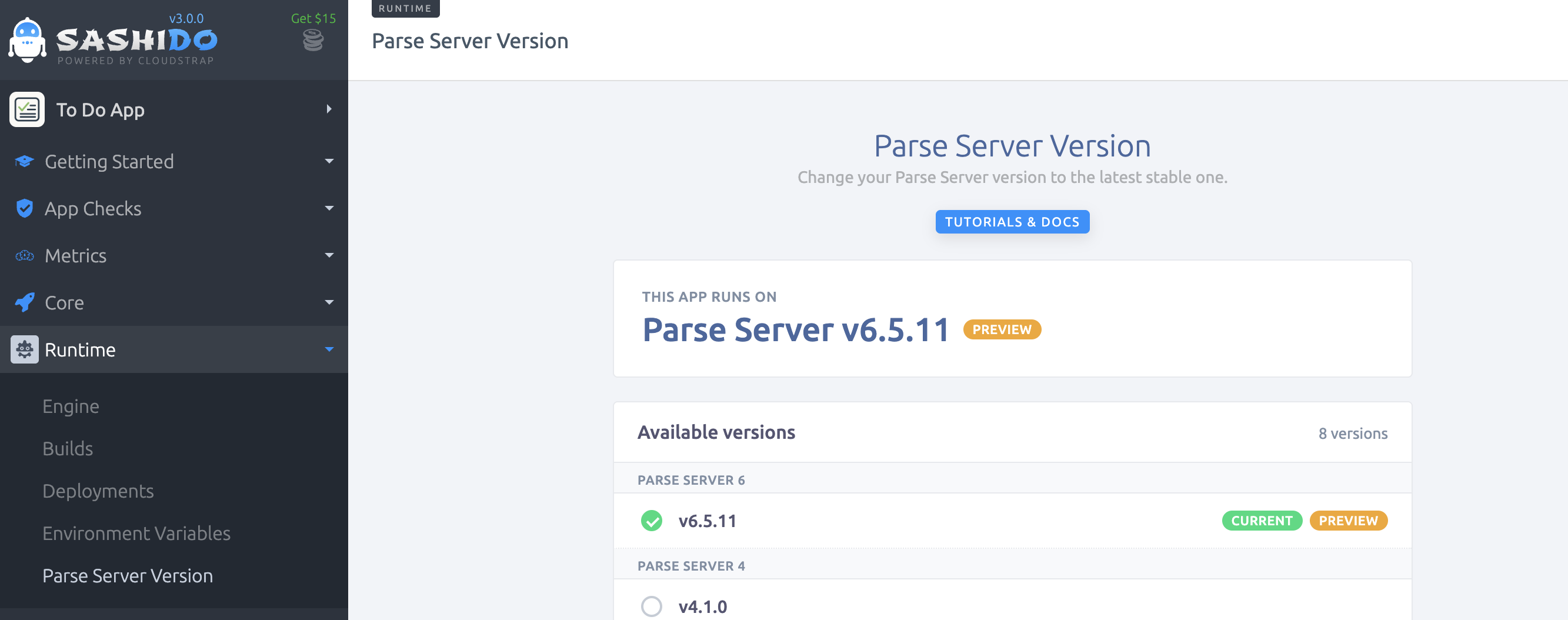
To try it out:
1. Open your app in the SashiDo Dashboard.
2. Go to Runtime → Parse Server Version.
3. Select 6.5.11-preview and test it with your application.
Important: We've already tested this version extensively internally, as well as with a beta testing group of customers. So far, no critical issues have been reported, but the release remains in an experimental state a while longer and is not yet approved for production use as an extra safety measure. We recommend testing it on a separate app rather than switching your live application.
Your feedback matters! Testing across different real-world app configurations will help us identify compatibility issues and move toward a stable release with confidence. Send us your thoughts and notes at support@sashido.io
What's Next for Parse Server?
We're continuing to work on newer Parse Server versions, including Parse Server 8.x and more recent Node.js and MongoDB versions. Availability of later versions for testing is subject to successful testing and compatibility checks.
Our goal remains the same: bring you modern technologies while keeping your applications stable and reliable.
We know this has taken longer than originally planned, and we really want to thank you for your patience as we work to bring you newer versions without compromising the stability and security of your apps.
Meet App Checks: A Health & Security Checkup for Your App
Keeping your application secure shouldn't mean manually reviewing every configuration, user setting, and database index.
That's why we're introducing App Checks, a new Dashboard feature that helps you identify potential security risks and configuration issues, with practical guidance on how to fix them.
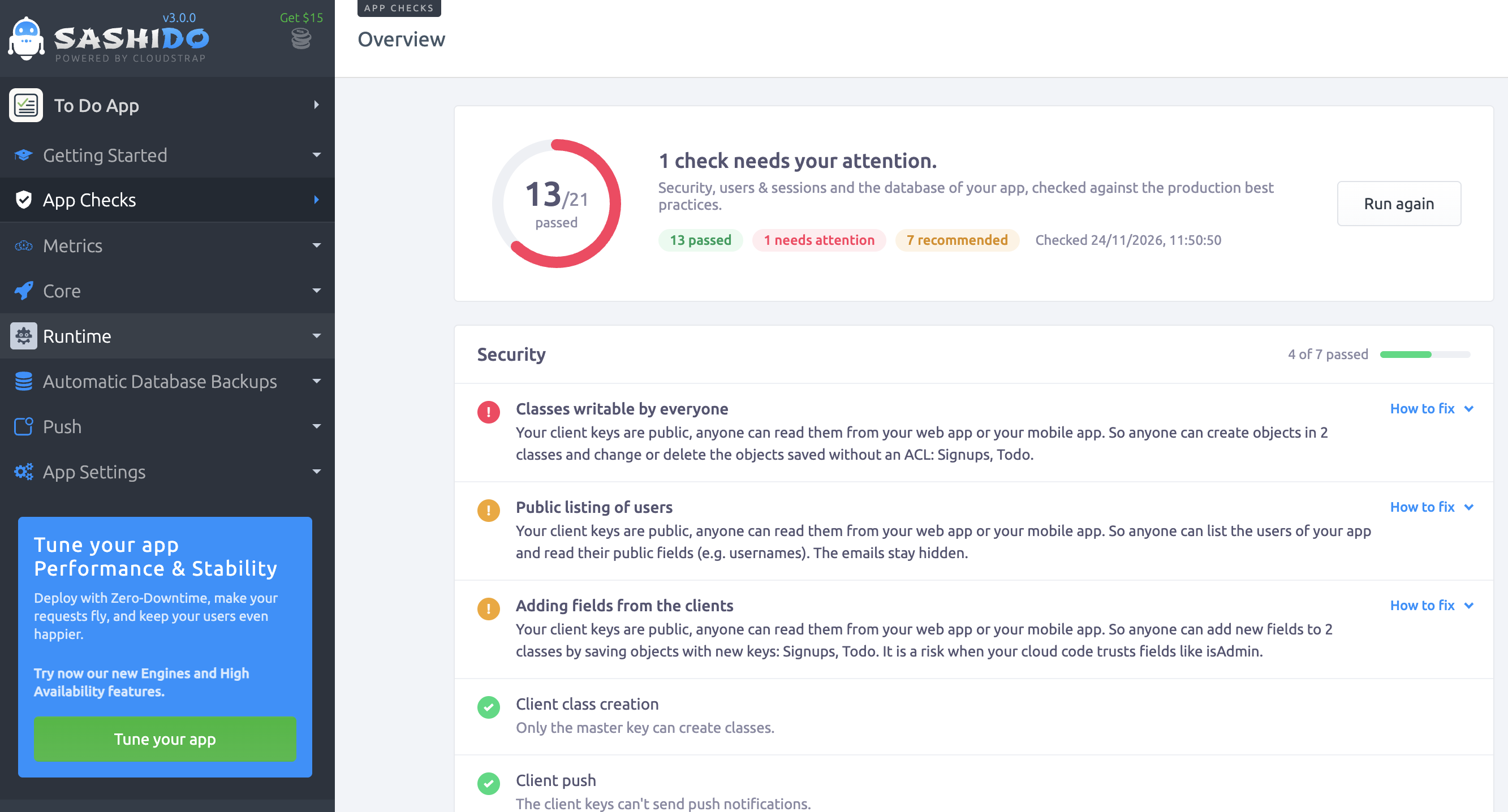
How Does App Checks Work?
Simply open your application in the Dashboard and select App Checks from the menu, just above your Metrics.
SashiDo will run a series of automated checks across three important areas:
Security
Review potentially unsafe configurations, including public access permissions, client-side class creation, push notification permissions, and social login settings.
Users & Sessions
Check whether your application follows recommended practices for email verification, password protection, account lockout, and session management.
Database
Identify potential data integrity issues, such as missing unique indexes, duplicate usernames or emails, and empty email values.
Clear Results. Practical Next Steps.
App Checks gives you a summary of your results, with each check marked as:
- Passed: Everything looks good.
- Recommended: An improvement worth considering.
- Needs attention: A potential issue that should be reviewed.
- Not completed: The check couldn't finish and may require further investigation.
Each result includes an explanation and “How to fix it” guidance, so you know what to review next.
And the best part? App Checks is read-only. It doesn't modify your application settings or database. You stay in control of any changes.
Ready to Check Your App?
App Checks is available for applications running Parse Server 6.5.11 or newer.
If your application is using an older version, you'll be prompted to upgrade. Apps already running 6.5.11 may need a rebuild to enable the checks.
👉 Open Your SashiDo Dashboard → Select Your App → App Checks
More Control Over Your Account Security
Security remains one of our top priorities, and we've added several improvements to help you protect your SashiDo account and manage access more easily.
Here's what's new under Dashboard → Account → Security.
1. Two-Factor Authentication (2FA)
Your password is no longer your only line of protection.
You can now enable email-based Two-Factor Authentication for your SashiDo account.
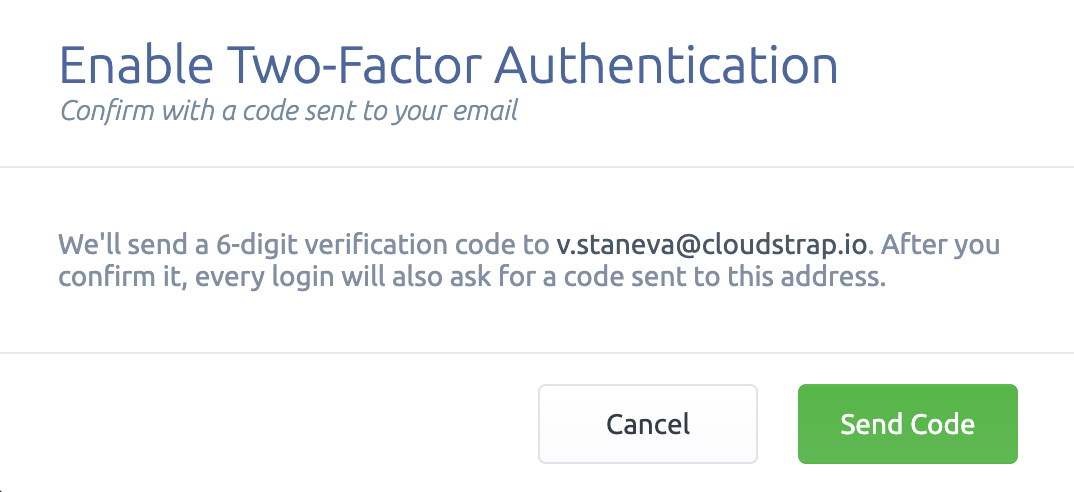
Once enabled, you'll receive a 6-digit verification code by email when signing in, adding an extra step to protect your account from unauthorized access.
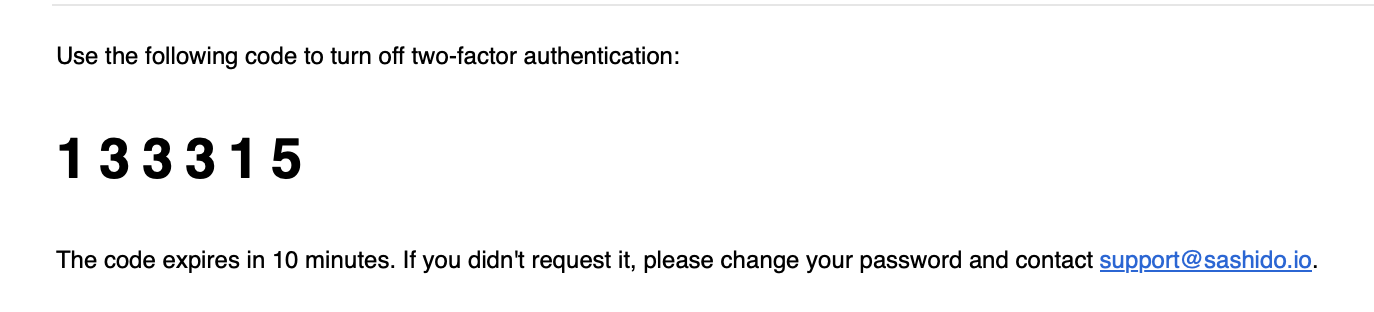
Each verification code is valid for 10 minutes.
2. Active Sessions & Login History
Ever wondered where your SashiDo account is currently signed in?
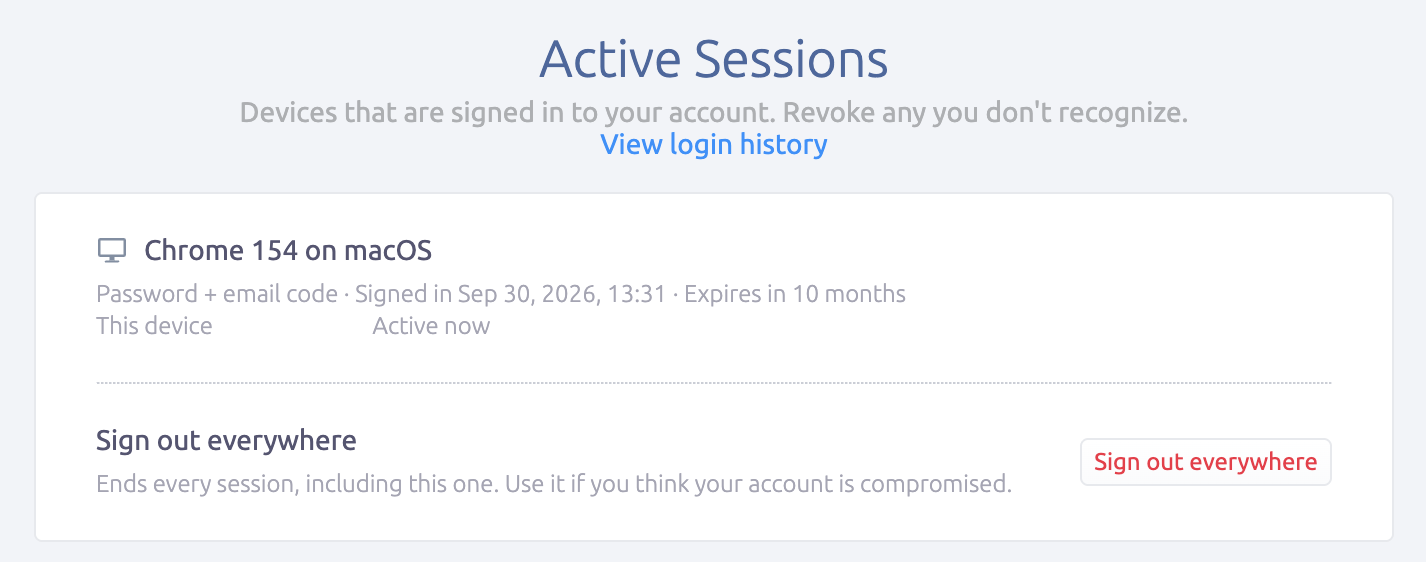
With Active Sessions, you can now:
- View your active sessions, including devices, browsers, and IP addresses.
- Check recent session activity.
- Revoke individual sessions you don't recognize.
- Sign out of all other devices or end all sessions at once.
You can also access Login History to review previous account login activity.
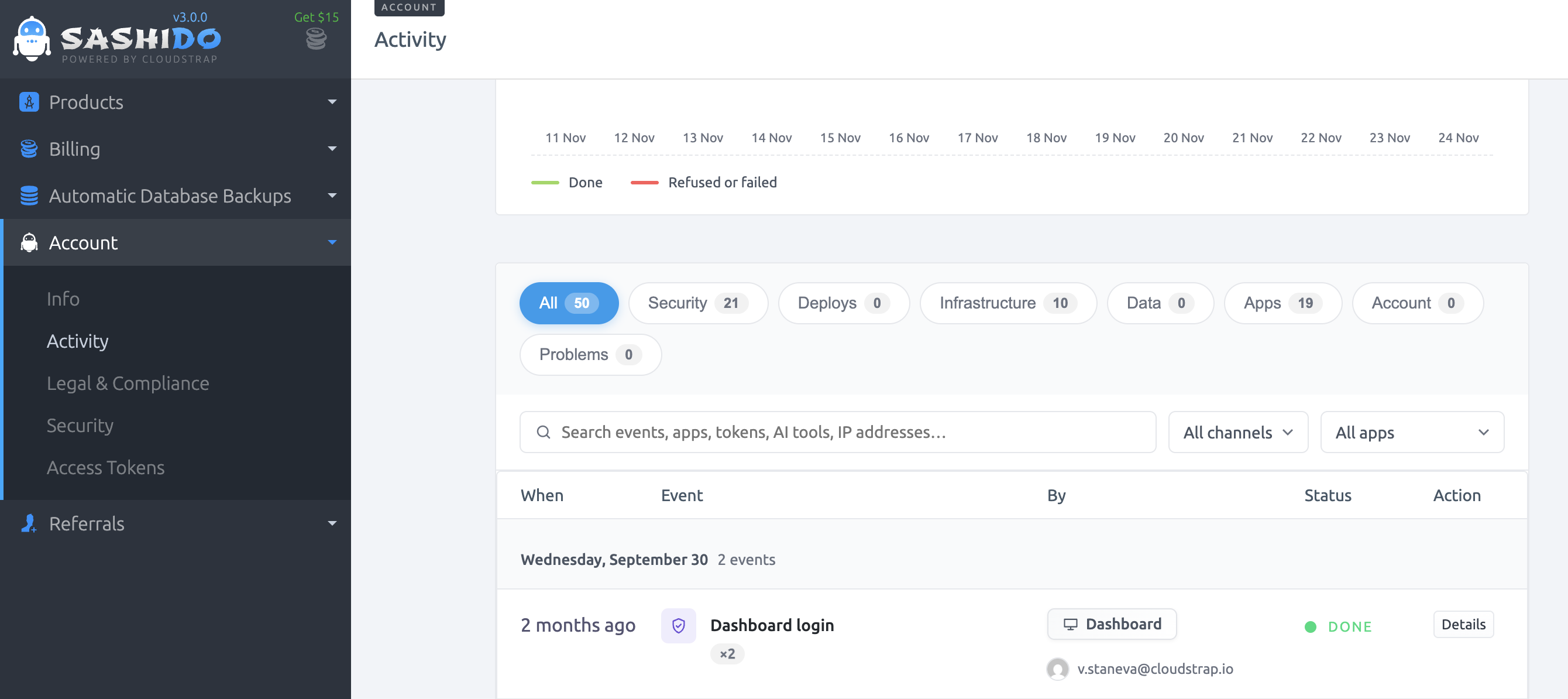
More visibility and control, all in one place.
3. GitHub Account Management
Need to change the GitHub account connected to SashiDo?
You can now switch or disconnect your linked GitHub account directly from the Dashboard, without contacting our support team.
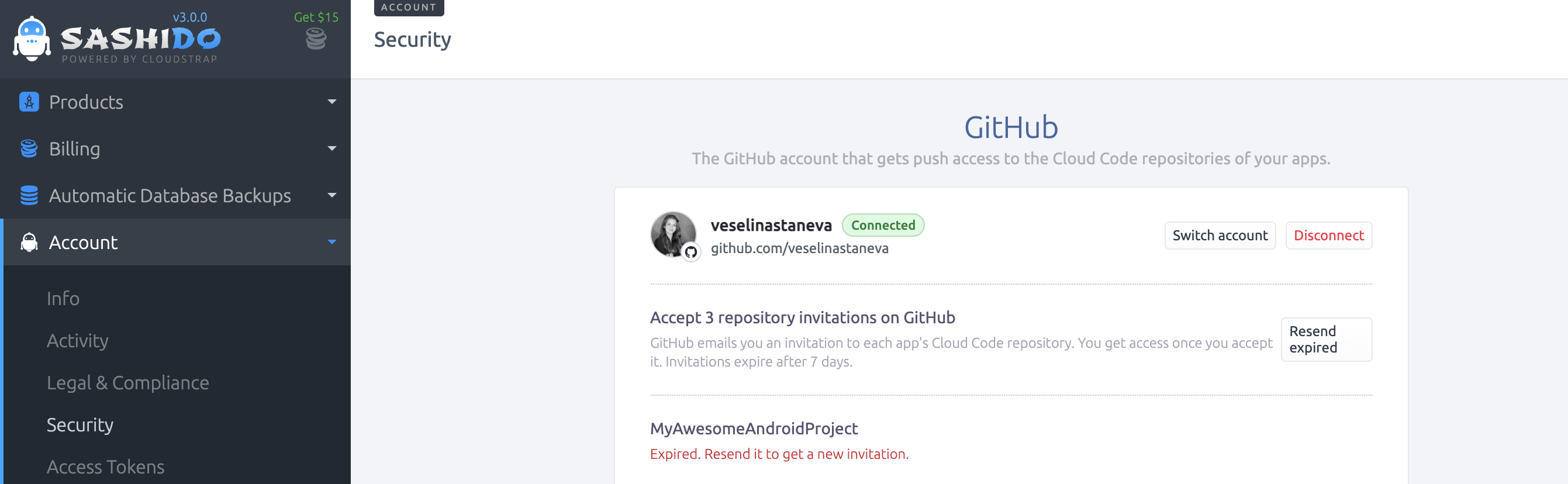
A small but useful improvement that makes managing your development setup easier.
👉 Review Your Account Security Settings
Built With Your Apps in Mind
These updates are part of our ongoing work to make SashiDo a more secure, reliable, and developer-friendly platform.
As development workflows change and AI agents become more common, we're focused on helping you build and manage applications with confidence.
And there's more to come. 🎄
We're already working on а major SashiDo Christmas update , and we look forward to sharing more with you this December.
In the meantime, we'd love your input on what comes next.
Have you tried Parse Server 6.5.11 or the new App Checks? Is there a security feature or platform improvement you'd like us to prioritize?
Share your feedback at hello@sashido.io, or book a 15-minute conversation with our team to tell us what you're working on and how we can help.
Happy Coding!