Most teams start with a simple push notification and hit the same wall fast. Delivery looks fine, but engagement stalls because the message feels like background noise, or worse, it lands at the wrong moment and triggers opt outs. When you are responsible for retention, you start noticing patterns: cart reminders that get ignored because the product is invisible, onboarding nudges that feel generic, and time sensitive promos that arrive without enough context to act.
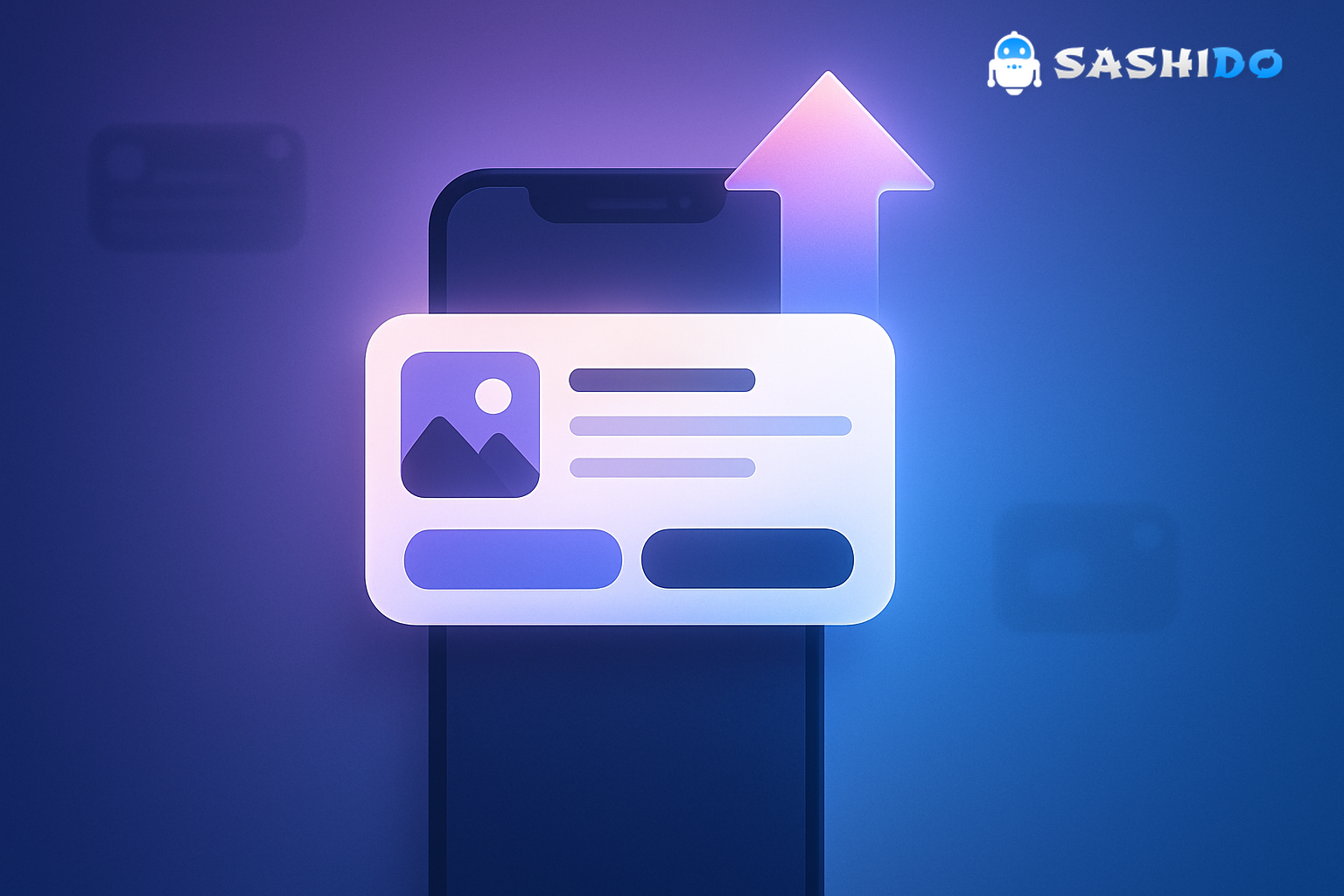
Rich push notifications are the practical fix for that plateau. The idea is not to make notifications prettier. It is to make them self explanatory in the few seconds someone gives you on the lock screen or notification shade. An image, GIF, or video thumbnail can do in one glance what two lines of copy cannot. Add action buttons, and you remove the friction of opening the app just to do a simple next step.
The core point is simple. Rich media and interactivity work when they reduce decision time, and they fail when they add weight or ambiguity. Once you treat rich push as a delivery and design system, not a one off creative asset, you can reliably lift opens, clicks, and downstream retention without turning your push channel into spam.
Try a quick rich push experiment with SashiDo - Push Notification Platform and compare 24 hour engagement lift.
What Makes a Rich Push Notification Different
A standard push notification is mostly text plus a small icon. A rich push notification adds a media attachment like an image, animated GIF, or short video, and often includes interactive elements like buttons. The real difference is what happens on the device.
When rich push is done well, the notification becomes a tiny decision screen. A retail push can show the exact shoe left in the cart, a travel push can show the destination image that sells the trip, and a streaming push can show the cover art that reminds someone what they meant to watch. The user does not have to guess what you are talking about.
Interactivity is the other lever. Buttons such as Shop Now, Watch Trailer, Track Package, or Add to Calendar work because they let people act in the moment without needing to hunt inside the app. That matters when attention is fragmented and the notification is competing with messages, meetings, Focus modes, and everything else.
How Rich Push Works in Practice
In production, rich push is less about a single API call and more about a sequence that has to hold up under real world conditions.
First, you decide whether the notification is time based, like a flash sale. or event based, like price drops, shipment updates, or an onboarding milestone. Then you pick a target audience and personalization inputs, usually what the user viewed, purchased, saved, or ignored recently. After that, you package a payload that includes copy, deep links, and a media URL if you are using attachments.
On the device side, operating systems control what gets shown and when. iOS may present the notification immediately, delay it into a summary, or mute it depending on user settings such as Focus, which is why it is worth understanding Apple’s behavior around Focus and communication notifications in the official documentation for Handling Communication Notifications and Focus Status Updates. Android adds another layer with categories and user controllable channels.
The make or break detail is this: your rich push must still work as a text push. Media fails to load sometimes due to network issues, older app versions, or OS constraints. If the message only makes sense with the image, you are shipping a broken experience to a slice of your audience.
Where Rich Push Usually Wins, and Where It Backfires
Rich push tends to win in situations where a user is deciding whether to re enter the app, and the decision depends on context that is hard to express in text.
Cart recovery is the obvious one. An image of the exact item plus a clear price or discount anchor reduces the mental effort. Another high performer is time sensitive retail promotion. showing a product carousel or a single hero image that communicates urgency and relevance quickly. Streaming and media pushes are similar. cover art and a Watch Trailer action is often more persuasive than a generic recommendation.
Onboarding is underrated. New users often do not know what success looks like yet. A rich push that shows a short visual cue, like a “complete your setup” illustration, can clarify what the next step actually means.
Rich push backfires when it is used as decoration. If the media is generic, the payload is heavy, or the copy is unclear, you have increased complexity without increasing clarity. It also fails when frequency is uncontrolled. Rich pushes are more noticeable, so over messaging accelerates fatigue. For most consumer apps, once you go beyond one to two promotional pushes per day to the same cohort, opt outs start rising unless targeting is very tight and value is obvious.
Rich Push Notification Examples That Map to Real Retention Work
The best examples are the ones you see repeated across industries because they match universal moments.
A time sensitive retail push works when it uses urgency in the first line and shows the product selection visually. The user should understand the deal, the deadline, and the next step without opening anything. That is why a clear Shop Now button matters. it removes the extra tap of opening, browsing, then finding the sale.
A travel deal highlight works when the image does the emotional work. The copy can stay short, like a price anchor or limited time availability, while the image helps the user picture the outcome. In this category, the failure mode is using an image that does not match the destination or the price. that mismatch creates distrust.
A personalized movie recommendation works because it is self contained. The cover art acts as recognition. the hook is the relevance, and the action is immediate, like Watch Trailer. If you cannot personalize reliably, it is better to send a more general rich push tied to a new release category rather than pretending to be precise.
Across these examples, the general pattern is consistent. Rich push works best when you can show the user what they are about to get, not just tell them.
Rich Notification Delivery: Android vs. iOS
If you manage campaigns across platforms, you already know the painful part. the same payload does not behave the same way.
iOS: Attachments and Focus Reality
On iOS, rich media often depends on your app being set up to modify the notification content and fetch attachments. Many implementations rely on a Notification Service Extension, which Apple documents through UNNotificationServiceExtension. The key practical implication is that your attachment pipeline has time limits and can fail. so your fallback text and deep link logic must be solid.
Then there is visibility. Focus can delay or silence notifications depending on how the user configured it. For retention teams, this means you should not treat “sent at 9 AM” as “seen at 9 AM” on iOS. when you evaluate performance, use windows like 1 hour, 6 hours, and 24 hours, and compare cohorts with different delivery conditions.
Android: Channels, Categories, and User Control
Android gives users fine grained control over notification categories through channels. This is great for user trust, but it also means promotions can be muted while transactional pushes still come through. The official guide on Notification Channels is worth reading because it explains why channels are not optional in practice.
For CRM and growth, the operational takeaway is to separate promotional, lifecycle, and transactional pushes into distinct channels and name them clearly. If everything is shipped through one channel, the user can only choose all or nothing. That is how you lose an audience that would have kept shipping updates but does not want sales spam.
When people search “push messages android” they are often trying to understand why notifications are inconsistent. The common causes are channels being disabled, aggressive battery settings, and users swiping messages away without engaging. Rich media helps with engagement, but it does not solve channel hygiene.
Rich Push for Web Applications: What Changes
Web application push notifications feel similar, but the permission model and delivery behavior are different. On the web, you are working with browser APIs, service workers, and user permission prompts that are easy to get wrong.
If you are building or auditing a push notification for web application, start with the canonical references for the Push API and the Notifications API. The principle is the same as mobile. keep the message understandable without media, because asset loading can be blocked, delayed, or unsupported depending on browser and device.
The biggest practical trap on web application push notifications is permission timing. If you ask for permission on the first page load, conversion is usually poor and the permission becomes a permanent no for that user. Rich push does not fix that. A better pattern is to ask after the user has taken an action that signals intent, like saving a product, subscribing to updates, or completing onboarding.
How To Design Rich Push Notifications Without Slowing Delivery
The difference between an impressive rich push and a fragile one is almost always in the basics. creative teams tend to focus on the media. delivery teams focus on payload size, fallbacks, and behavior across OS versions. Both are necessary.
Start with the principle. Design for scanning, then for tapping. The first line should carry the value. the media should confirm it, not replace it.
Here is a short checklist we use when reviewing rich push creatives and payloads:
- Keep copy front loaded. If the OS truncates after the first line, the point still lands.
- Use a single clear visual focal point. A cluttered image performs like cluttered copy.
- Treat media as optional. Write the notification so it still makes sense if the attachment fails.
- Use one primary action. Multiple buttons are fine when they map to distinct intents, but they should not compete.
- Test on older devices and slow networks. Rich push quality often collapses at the edges, not in the lab.
Personalization is where rich push becomes a retention lever rather than a design exercise. Add the user’s recently viewed item, the category they browsed, or the stage they are stuck in. Keep it restrained. If you need five tokens to make the message relevant, your segmentation is probably too broad.
Android How To Push Notification With Rich Media: A Practical Start
People searching “android how to push notification” often expect a code tutorial. In a CRM context, the more useful answer is a practical deployment flow that avoids the usual potholes.
First, define which pushes are allowed to be promotional and which must be transactional. Then ensure your Android channels reflect that separation so users can manage preferences without cutting you off entirely. After that, build one rich template per lifecycle moment instead of trying to design twenty variants on day one.
For media, prioritize reliability. A single compressed image that loads fast tends to outperform a heavy GIF in the long run. When you run experiments, keep only one variable changing at a time. change the image while keeping copy constant, or change the call to action while keeping the image constant. If you change everything, you will not learn what caused the lift.
If your current stack is tied to a firebase android setup, you can still move toward a richer, more marketer controlled workflow. We often see teams start with basic Firebase delivery, then add a higher level orchestration layer once segmentation, frequency caps, and testing become daily requirements. If you are in that evaluation phase, our SashiDo vs Firebase Cloud Messaging comparison can help you map what stays the same and what changes.
You might also be working with an expo push notification tool for cross platform apps. The same principles apply. keep payloads resilient, separate channels, and measure in windows that reflect real delivery behavior.
Measuring Rich Push: What to Track Beyond Opens
Open rate is tempting because it is fast. but it is also easy to game. A sensational image can lift opens without improving retention.
For retention work, measure the step that actually matters for your product: cart recovered, trial activated, lesson completed, order placed, subscription renewed. Then connect that to cohorts and frequency. A rich push that produces a small lift in immediate opens but a clear lift in 7 day repeat usage is a better outcome than a pretty spike that burns out your audience.
A useful pattern is to evaluate three layers:
First, delivery health. If delivery rate drops or devices stop showing the message, creative is irrelevant.
Second, interaction quality. Look at clicks per delivered, not just opens. Rich push often shifts the mix between “expand to read” and “tap to act”.
Third, downstream retention. Track 1 day and 7 day return rates for the segment that received the push, compared to a holdout.
If you want an outside benchmark for why rich media is worth testing, Business of Apps aggregates market data suggesting rich formats can improve reaction rates, while adoption remains relatively low. their overview is a useful starting point: Push Notifications Statistics. Treat any aggregated stats as directional. your product, audience, and timing matter more.
When a Developer First Platform Helps, and When It Does Not
Rich push becomes hard when you scale past a handful of campaigns. You need segmentation that updates in real time, preference management that keeps users in control, and analytics that show you what happened without waiting for a weekly report. You also need to coordinate with engineering less often, especially when the roadmap is full and retention still needs to move.
This is where we built SashiDo - Push Notification Platform to fit real team constraints. We focus on unified delivery across mobile and web, with the control and data ownership teams need when they operate in regulated or enterprise environments.
It is not for everyone. If you only send a handful of transactional pushes per month and never plan to test, segment, or personalize, a simpler setup can be enough. The platform value shows up when rich push is part of an ongoing retention system, not a one time blast.
Conclusion: Treat Rich Push as a System, Not a Creative
Rich push notifications are not a gimmick. they are a practical way to make a push notification carry enough context to be actionable in a noisy attention environment. If you keep fallbacks strong, respect platform differences, and measure outcomes beyond opens, rich push becomes a repeatable lever for retention.
The fastest way to get value is to pick one lifecycle moment, build one resilient rich template, and run a clean test with a holdout. Once you see what actually moves conversions and repeat usage, you can expand confidently without increasing fatigue.
Ready to deploy reliable, dev-friendly rich push at scale? Explore SashiDo - Push Notification Platform to send unified iOS and Android campaigns, run multivariate tests, and retain more users.
Frequently Asked Questions
Are Rich Push Notifications Always Better Than Text Only?
No. Rich push is better when the visual or interactive element reduces decision time, like showing the exact item in an abandoned cart. If the message is purely informational, like a password alert, rich media can add weight without adding clarity. Always keep the text fallback strong.
What If Users Cannot See the Image or Video in a Rich Push?
This happens more than teams expect. network constraints, older app versions, or OS level limitations can prevent attachments from loading. Write copy that still makes sense without media, and ensure the deep link takes the user to the right screen. Treat the media as an enhancement, not the message.
How Do Android Notification Channels Affect Rich Push Performance?
Channels control what categories of notifications users allow. If you send everything through one channel, users can only disable all notifications or accept everything. Splitting promotional, lifecycle, and transactional notifications into separate channels preserves reach for high value messages even when promotions get muted.
What Is the Biggest Mistake Teams Make With Web Application Push Notifications?
Asking for permission too early. If the user has not seen value yet, the permission prompt is often declined and rarely recovered. Trigger the prompt after intent is clear, like a saved item or a subscription action, and keep notifications tightly relevant to that intent.
Do I Need a New Backend to Send Rich Push?
Not necessarily. Many teams start with an existing provider and add richer payloads and better templates. The challenge appears when you need consistent segmentation, testing, and frequency control across iOS, Android, and web. That is usually when teams consider a dedicated system like SashiDo - Push Notification Platform.
